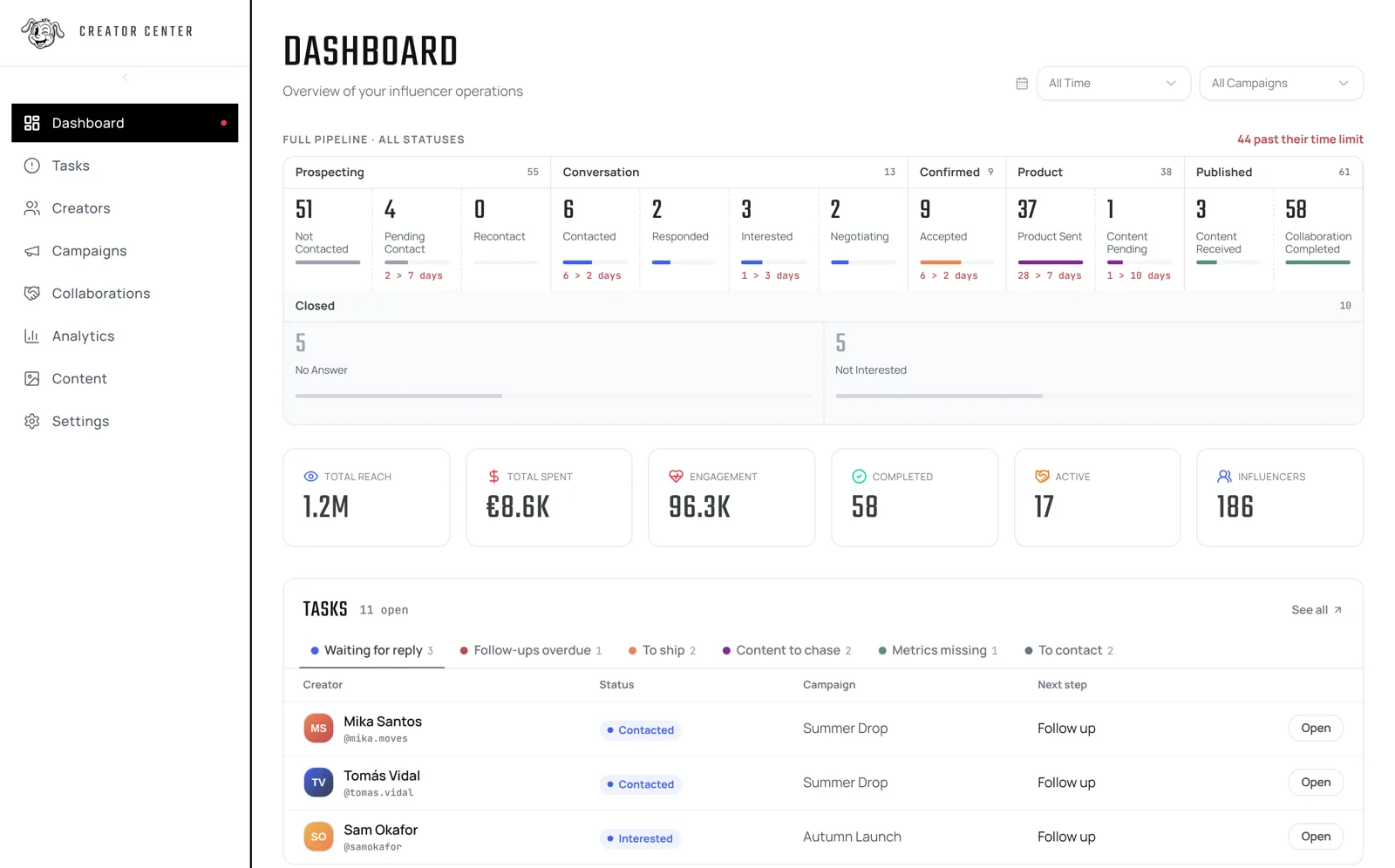
How it works
1. Import your creators
Upload your spreadsheet or add them one by one with their Instagram or TikTok handle.
2. Run every collaboration
Outreach, product shipment, content and metrics, with a time limit per status and alerts when something runs late.
3. Measure what works
Cost per piece, reach and engagement by campaign, creator and country. Export to PDF or CSV.
What's included
From shipment to published content
Know who received the product, who posted and what is missing, with reminders when content is late.
Content library
All your creators' content in one gallery, filterable by campaign, type (reel, story, post) and creator.
Metrics per piece
Views, likes and comments for every post, and the real cost of each piece.
Clear next steps
A task inbox tells your team who to follow up, what to ship and which content to chase.
What Creator Center looks like
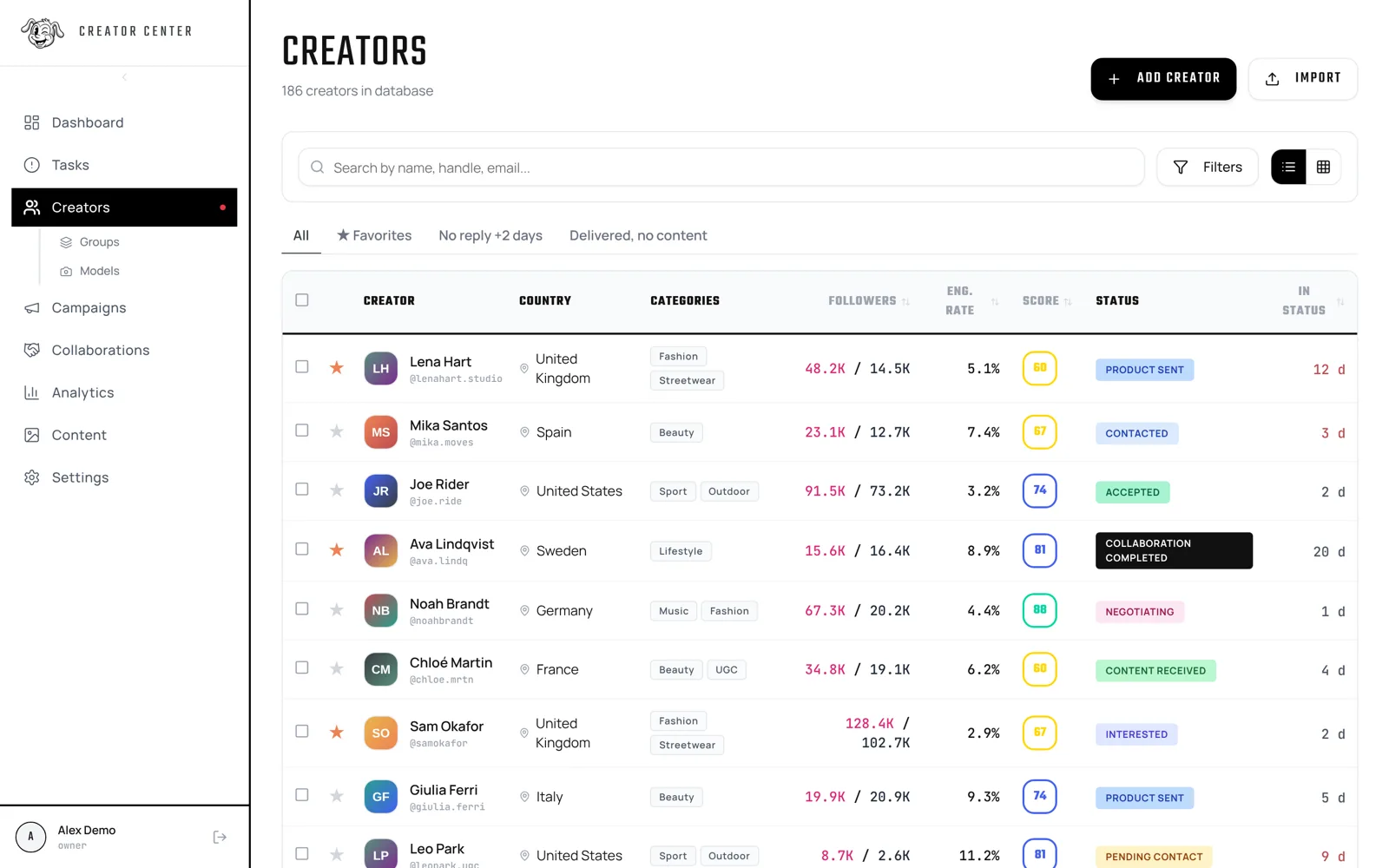
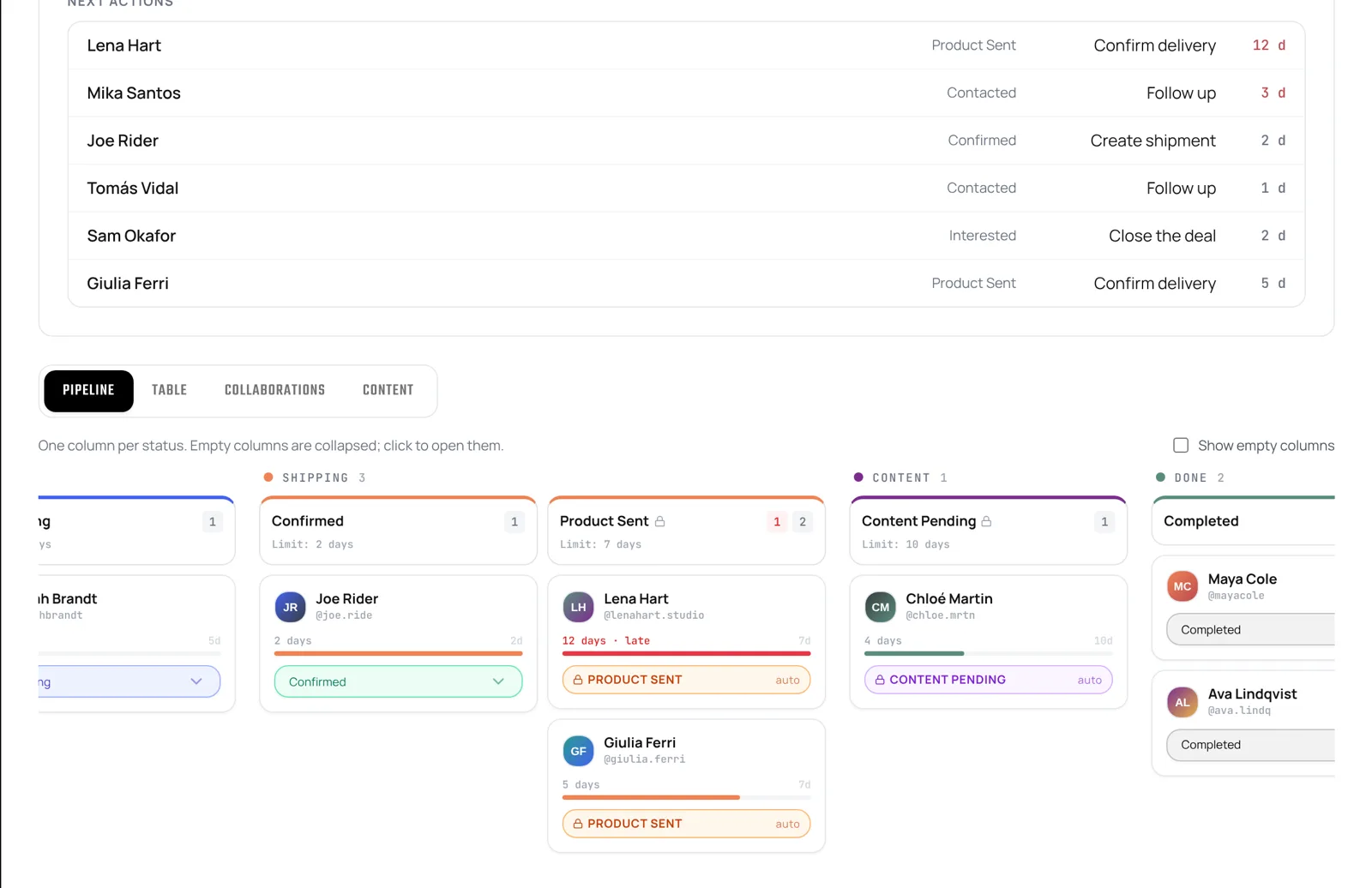
Real screenshots of the app with example data.
Spreadsheet vs Creator Center
| Spreadsheet | Creator Center | |
|---|---|---|
| Each creator's status | A column you update | 14 statuses with time limits and alerts |
| Followers and engagement | Copy and paste | Updated automatically |
| Product shipments | Another tab | With tracking and cost |
| Published content | Loose links | Library with metrics |
| Cost per post | Your own formulas | Calculated per campaign and creator |
| What to do today | Check everything | Task inbox |
Pricing
No commitment. Prices per month in euros. Also available in GBP and USD. See all plans
FAQ
Does it work for agencies?
Yes, the Agency plan lets you manage several brands from one panel.
Can I import my creators?
Yes, from an Excel or CSV file using our template.
Can I store the content creators send me?
Yes. Every post, reel or story is saved in the library with its link, a screenshot and its metrics, filterable by campaign and creator.
How do I know which content is missing?
Once a product is delivered the clock starts. If the creator goes past the time limit without posting, it shows up in the task inbox as content to chase.
How do I import my creators?
Upload your Excel or CSV using our template. You map each column to the right field before importing.
Where do Instagram and TikTok stats come from?
TikTok stats update on their own. For Instagram you connect your brand's professional account in Settings, and the app reads public data from your creators' professional accounts.
Which languages is the app in?
English, Spanish, German, French and Italian.
Is my data kept separate from other companies?
Yes. Each company has its own database and we never share data between accounts.